¶ Why Privacy Matters
In the modern age of digital data exploitation, your privacy has never been more critical, and yet many believe it is already a lost cause. It is not. Your privacy is up for grabs, and you need to care about it. Privacy is about power, and it is so important that this power ends up in the right hands.
Privacy is ultimately about human information, and this is important because we know that human information confers power over human beings. If we care about our ability to be authentic, fulfilled, and free humans, we have to care about the rules that apply to information about us. So much of our modern society is structured around information. When you shop online, read the news, look something up, vote, seek directions, or really anything else, you are relying on information. If we live in an information society, our information matters, and therefore privacy matters.
¶ What is Privacy?
Many people get the concepts of privacy, security, and anonymity confused. You'll see people criticize various products as "not private" when really they mean it doesn't provide anonymity, for example. On this website, we cover all three of these topics, but it is important you understand the difference between them, and when each one comes into play.
Video: Stop Confusing Privacy, Anonymity, and Security
Privacy
Privacy is the assurance that your data is only seen by the parties you intend to view it. In the context of an instant messenger, for example, end-to-end encryption provides privacy by keeping your message visible only to yourself and the recipient.
Security
Security is the ability to trust the applications you use—that the parties involved are who they say they are—and keep those applications safe. In the context of browsing the web, for example, security can be provided by HTTPS certificates.
Certificates prove you are talking directly to the website you're visiting, and keep attackers on your network from reading or modifying the data sent to or from the website.
Anonymity
Anonymity is the ability to act without a persistent identifier. You might achieve this online with Tor, which allows you to browse the internet with a random IP address and network connection instead of your own.
Pseudonymity is a similar concept, but it allows you to have a persistent identifier without it being tied to your real identity. If everybody knows you as @GamerGuy12 online, but nobody knows your real name, that is your pseudonym.
All of these concepts overlap, but it is possible to have any combination of these. The sweet spot for most people is when all three of these concepts overlap. However, it's trickier to achieve than many initially believe. Sometimes, you have to compromise on some of these, and that's okay too. This is where threat modeling comes into play, allowing you to make informed decisions about the software and services you use.
Learn More About Threat Modeling
¶ Privacy vs. Secrecy
A common counter-argument to pro-privacy movements is the notion that one doesn't need privacy if they have "nothing to hide." This is a dangerous misconception, because it creates a sense that people who demand privacy must be deviant, criminal, or wrong.
You shouldn't confuse privacy with secrecy. We know what happens in the bathroom, but you still close the door. That's because you want privacy, not secrecy. There are always certain facts about us—say, personal health information, or sexual behavior—that we wouldn't want the whole world to know, and that's okay. The need for privacy is legitimate, and that's what makes us human. Privacy is about empowering your rights over your own information, not about hiding secrets.
¶ Is Privacy About Control?
A common definition of privacy is that it is the ability to control who has access to your data. This is an easy trap to fall into, in fact it is the definition of privacy we operated this website on for a long time. It sounds nice, and it appeals to many people, but in practice it just doesn't work.
Take cookie consent forms, for example. You may encounter these dozens of times per day on the various websites you visit, with a nice array of checkboxes and sliders which allow you to "curate" your preferences to exactly fit your needs. In the end, we just hit the "I Agree" button, because we just want to read the article or make a purchase. Nobody wants to complete a personal privacy audit on every single website they visit. This is an exercise in choice architecture, designed to make you take the easy route out instead of delving into a maze of configuration options that don't need to exist in the first place.
Control over your privacy inside most apps is an illusion. It's a shiny dashboard with all sorts of choices you can make about your data, but rarely the choices you're looking for, like "only use my data to help me." This type of control is meant to make you feel guilty about your choices, that you "had the choice" to make the apps you use more private, and you chose not to.
Privacy is something we need to have baked into the software and services we use by default, you can't bend most apps into being private on your own.
¶ Threat Modeling
Balancing security, privacy, and usability is one of the first and most difficult tasks you'll face on your privacy journey. Everything is a trade-off: The more secure something is, the more restricting or inconvenient it generally is, etc. Often, people find that the problem with the tools they see recommended is that they're just too hard to start using!
If you wanted to use the most secure tools available, you'd have to sacrifice a lot of usability. And, even then, nothing is ever fully secure. There's high security, but never full security. That's why threat models are important.
So, what are these threat models, anyway?
A threat model is a list of the most probable threats to your security and privacy endeavors. Since it's impossible to protect yourself against every attack(er), you should focus on the most probable threats. In computer security, a threat is an event that could undermine your efforts to stay private and secure.
Focusing on the threats that matter to you narrows down your thinking about the protection you need, so you can choose the tools that are right for the job.
¶ Creating Your Threat Model
To identify what could happen to the things you value and determine from whom you need to protect them, you should answer these five questions:
- What do I want to protect?
- Who do I want to protect it from?
- How likely is it that I will need to protect it?
- How bad are the consequences if I fail?
- How much trouble am I willing to go through to try to prevent potential consequences?
¶ What do I want to protect?
An “asset” is something you value and want to protect. In the context of digital security, an asset is usually some kind of information. For example, your emails, contact lists, instant messages, location, and files are all possible assets. Your devices themselves may also be assets.
Make a list of your assets: data that you keep, where it's kept, who has access to it, and what stops others from accessing it.
¶ Who do I want to protect it from?
To answer this question, it's important to identify who might want to target you or your information. A person or entity that poses a threat to your assets is an “adversary”. Examples of potential adversaries are your boss, your former partner, your business competition, your government, or a hacker on a public network.
Make a list of your adversaries or those who might want to get hold of your assets. Your list may include individuals, a government agency, or corporations.
Depending on who your adversaries are, this list might be something you want to destroy after you've finished developing your threat model.
¶ How likely is it that I will need to protect it?
Risk is the likelihood that a particular threat against a particular asset will actually occur. It goes hand-in-hand with capability. While your mobile phone provider has the capability to access all of your data, the risk of them posting your private data online to harm your reputation is low.
It is important to distinguish between what might happen and the probability it may happen. For instance, there is a threat that your building might collapse, but the risk of this happening is far greater in San Francisco (where earthquakes are common) than in Stockholm (where they are not).
Assessing risks is both a personal and subjective process. Many people find certain threats unacceptable, no matter the likelihood they will occur, because the mere presence of the threat is not worth the cost. In other cases, people disregard high risks because they don't view the threat as a problem.
Write down which threats you are going to take seriously, and which may be too rare or too harmless (or too difficult to combat) to worry about.
¶ How bad are the consequences if I fail?
There are many ways that an adversary could gain access to your data. For example, an adversary can read your private communications as they pass through the network, or they can delete or corrupt your data.
The motives of adversaries differ widely, as do their tactics. A government trying to prevent the spread of a video showing police violence may be content to simply delete or reduce the availability of that video. In contrast, a political opponent may wish to gain access to secret content and publish that content without you knowing.
Security planning involves understanding how bad the consequences could be if an adversary successfully gains access to one of your assets. To determine this, you should consider the capability of your adversary. For example, your mobile phone provider has access to all of your phone records. A hacker on an open Wi-Fi network can access your unencrypted communications. Your government might have stronger capabilities.
Write down what your adversary might want to do with your private data.
¶ How much trouble am I willing to go through to try to prevent potential consequences?
There is no perfect option for security. Not everyone has the same priorities, concerns, or access to resources. Your risk assessment will allow you to plan the right strategy for you, balancing convenience, cost, and privacy.
For example, an attorney representing a client in a national security case may be willing to go to greater lengths to protect communications about that case, such as using encrypted email, than a mother who regularly emails her daughter funny cat videos.
Write down what options you have available to you to help mitigate your unique threats. Note if you have any financial constraints, technical constraints, or social constraints.
¶ Try it yourself: Protecting Your Belongings
These questions can apply to a wide variety of situations, online and offline. As a generic demonstration of how these questions work, let's build a plan to keep your house and possessions safe.
What do you want to protect? (Or, what do you have that is worth protecting?)
Your assets might include jewelry, electronics, important documents, or photos.
Who do you want to protect it from?
Your adversaries might include burglars, roommates, or guests.
How likely is it that you will need to protect it?
Does your neighborhood have a history of burglaries? How trustworthy are your roommates or guests? What are the capabilities of your adversaries? What are the risks you should consider?
How bad are the consequences if you fail?
Do you have anything in your house that you cannot replace? Do you have the time or money to replace those things? Do you have insurance that covers goods stolen from your home?
How much trouble are you willing to go through to prevent these consequences?
Are you willing to buy a safe for sensitive documents? Can you afford to buy a high-quality lock? Do you have time to open a security box at your local bank and keep your valuables there?
Only once you have asked yourself these questions will you be in a position to assess what measures to take. If your possessions are valuable, but the probability of a break-in is low, then you may not want to invest too much money in a lock. But, if the probability of a break-in is high, you'll want to get the best lock on the market and consider adding a security system.
Making a security plan will help you to understand the threats that are unique to you and to evaluate your assets, your adversaries, and your adversaries' capabilities, along with the likelihood of risks you face.
¶ Common Threats
Broadly speaking, we categorize our recommendations into the threats or goals that apply to most people. You may be concerned with none, one, a few, or all of these possibilities, and the tools and services you use depend on what your goals are. You may have specific threats outside these categories as well, which is perfectly fine! The important part is developing an understanding of the benefits and shortcomings of the tools you choose to use, because virtually none of them will protect you from every threat.
Anonymity
Shielding your online activity from your real identity, protecting you from people who are trying to uncover your identity specifically.
Targeted Attacks
Being protected from hackers or other malicious actors who are trying to gain access to your data or devices specifically.
Supply Chain Attacks
Typically, a form of Targeted Attack that centers around a vulnerability or exploit introduced into otherwise good software either directly or through a dependency from a third party.
Passive Attacks
Being protected from things like malware, data breaches, and other attacks that are made against many people at once.
Service Providers
Protecting your data from service providers (e.g. with E2EE, which renders your data unreadable to the server).
Mass Surveillance
Protection from government agencies, organizations, websites, and services which work together to track your activities.
Surveillance Capitalism
Protecting yourself from big advertising networks, like Google and Facebook, as well as a myriad of other third-party data collectors.
Public Exposure
Limiting the information about you that is accessible online—to search engines or the public.
Censorship
Avoiding censored access to information or being censored yourself when speaking online.
Some of these threats may be more important to you than others, depending on your specific concerns. For example, a software developer with access to valuable or critical data may be primarily concerned with Supply Chain Attacks and Targeted Attacks. They will likely still want to protect their personal data from being swept up in Mass Surveillance programs. Similarly, many people may be primarily concerned with Public Exposure of their personal data, but they should still be wary of security-focused issues, such as Passive Attacks—like malware affecting their devices.
¶ Anonymity vs. Privacy
Anonymity
Anonymity is often confused with privacy, but they're distinct concepts. While privacy is a set of choices you make about how your data is used and shared, anonymity is the complete disassociation of your online activities from your real identity.
Whistleblowers and journalists, for example, can have a much more extreme threat model which requires total anonymity. That's not only hiding what they do, what data they have, and not getting hacked by malicious actors or governments, but also hiding who they are entirely. They will often sacrifice any kind of convenience if it means protecting their anonymity, privacy, or security, because their lives could depend on it. Most people don't need to go so far.
¶ Security and Privacy
Passive Attacks
Security and privacy are also often confused, because you need security to obtain any semblance of privacy: Using tools—even if they're private by design—is futile if they could be easily exploited by attackers who later release your data. However, the inverse isn't necessarily true: The most secure service in the world isn't necessarily private. The best example of this is trusting data to Google who, given their scale, have had few security incidents by employing industry-leading security experts to secure their infrastructure. Even though Google provides very secure services, very few people would consider their data private in Google's free consumer products (Gmail, YouTube, etc.)
When it comes to application security, we generally don't (and sometimes can't) know if the software we use is malicious, or might one day become malicious. Even with the most trustworthy developers, there's generally no guarantee that their software doesn't have a serious vulnerability that could later be exploited.
To minimize the damage that a malicious piece of software could do, you should employ security by compartmentalization. For example, this could come in the form of using different computers for different jobs, using virtual machines to separate different groups of related applications, or using a secure operating system with a strong focus on application sandboxing and mandatory access control.
Tip
Mobile operating systems generally have better application sandboxing than desktop operating systems: Apps can't obtain root access, and require permission for access to system resources.
Desktop operating systems generally lag behind on proper sandboxing. ChromeOS has similar sandboxing capabilities to Android, and macOS has full system permission control (and developers can opt in to sandboxing for applications). However, these operating systems do transmit identifying information to their respective OEMs. Linux tends to not submit information to system vendors, but it has poor protection against exploits and malicious apps. This can be mitigated somewhat with specialized distributions which make significant use of virtual machines or containers, such as Qubes OS.
¶ Attacks against Specific Individuals
Targeted Attacks
Targeted attacks against a specific person are more problematic to deal with. Common attacks include sending malicious documents via email, exploiting vulnerabilities (e.g. in browsers and operating systems), and physical attacks. If this is a concern for you, you should employ more advanced threat mitigation strategies.
Tip
By design, web browsers, email clients, and office applications typically run untrusted code, sent to you from third parties. Running multiple virtual machines—to separate applications like these from your host system, as well as each other—is one technique you can use to mitigate the chance of an exploit in these applications compromising the rest of your system. For example, technologies like Qubes OS or Microsoft Defender Application Guard on Windows provide convenient methods to do this.
If you are concerned about physical attacks you should use an operating system with a secure verified boot implementation, such as Android, iOS, macOS, or Windows (with TPM). You should also make sure that your drive is encrypted, and that the operating system uses a TPM or Secure Enclave or Element to rate limit attempts to enter the encryption passphrase. You should avoid sharing your computer with people you don't trust, because most desktop operating systems don't encrypt data separately per-user.
¶ Attacks against Certain Organizations
Supply Chain Attacks
Supply chain attacks are frequently a form of Targeted Attack towards businesses, governments, and activists, although they can end up compromising the public at large as well.
Example
A notable example of this occurred in 2017 when M.E.Doc, a popular accounting software in Ukraine, was infected with the NotPetya virus, subsequently infecting people who downloaded that software with ransomware. NotPetya itself was a ransomware attack which impacted 2000+ companies in various countries, and was based on the EternalBlue exploit developed by the NSA to attack Windows computers over the network.
There are few ways in which this type of attack might be carried out:
- A contributor or employee might first work their way into a position of power within a project or organization, and then abuse that position by adding malicious code.
- A developer may be coerced by an outside party to add malicious code.
- An individual or group might identify a third party software dependency (also known as a library) and work to infiltrate it with the above two methods, knowing that it will be used by "downstream" software developers.
These sorts of attacks can require a lot of time and preparation to perform and are risky because they can be detected, particularly in open source projects if they are popular and have outside interest. Unfortunately they're also one of the most dangerous as they are very hard to mitigate entirely. We would encourage readers to only use software which has a good reputation and makes an effort to reduce risk by:
- Only adopting popular software that has been around for a while. The more interest in a project, the greater likelihood that external parties will notice malicious changes. A malicious actor will also need to spend more time gaining community trust with meaningful contributions.
- Finding software which releases binaries with widely-used, trusted build infrastructure platforms, as opposed to developer workstations or self-hosted servers. Some systems like GitHub Actions let you inspect the build script that runs publicly for extra confidence. This lessens the likelihood that malware on a developer's machine could infect their packages, and gives confidence that the binaries produced are in fact produced correctly.
- Looking for code signing on individual source code commits and releases, which creates an auditable trail of who did what. For example: Was the malicious code in the software repository? Which developer added it? Was it added during the build process?
- Checking whether the source code has meaningful commit messages (such as conventional commits) which explain what each change is supposed to accomplish. Clear messages can make it easier for outsiders to the project to verify, audit, and find bugs.
- Noting the number of contributors or maintainers a program has. A lone developer may be more susceptible to being coerced into adding malicious code by an external party, or to negligently enabling undesirable behavior. This may very well mean software developed by "Big Tech" has more scrutiny than a lone developer who doesn't answer to anyone.
¶ Privacy from Service Providers
Service Providers
We live in a world where almost everything is connected to the internet. Our "private" messages, emails, and social interactions are typically stored on a server, somewhere. Generally, when you send someone a message it's stored on a server, and when your friend wants to read the message the server will show it to them.
The obvious problem with this is that the service provider (or a hacker who has compromised the server) can access your conversations whenever and however they want, without you ever knowing. This applies to many common services, like SMS messaging, Telegram, and Discord.
Thankfully, E2EE can alleviate this issue by encrypting communications between you and your desired recipients before they are even sent to the server. The confidentiality of your messages is guaranteed, assuming the service provider doesn't have access to the private keys of either party.
Note on Web-based Encryption
In practice, the effectiveness of different E2EE implementations varies. Applications, such as Signal, run natively on your device, and every copy of the application is the same across different installations. If the service provider were to introduce a backdoor in their application—in an attempt to steal your private keys—it could later be detected with reverse engineering.
On the other hand, web-based E2EE implementations, such as Proton Mail's web app or Bitwarden's Web Vault, rely on the server dynamically serving JavaScript code to the browser to handle cryptography. A malicious server can target you and send you malicious JavaScript code to steal your encryption key (and it would be extremely hard to notice). Because the server can choose to serve different web clients to different people—even if you noticed the attack—it would be incredibly hard to prove the provider's guilt.
Therefore, you should use native applications over web clients whenever possible.
Even with E2EE, service providers can still profile you based on metadata, which typically isn't protected. While the service provider can't read your messages, they can still observe important things, such as whom you're talking to, how often you message them, and when you're typically active. Protection of metadata is fairly uncommon, and—if it's within your threat model—you should pay close attention to the technical documentation of the software you're using to see if there's any metadata minimization or protection at all.
¶ Mass Surveillance Programs
Mass Surveillance
Mass surveillance is the intricate effort to monitor the "behavior, many activities, or information" of an entire (or substantial fraction of a) population.1 It often refers to government programs, such as the ones disclosed by Edward Snowden in 2013. However, it can also be carried out by corporations, either on behalf of government agencies or by their own initiative.
Atlas of Surveillance
If you want to learn more about surveillance methods and how they're implemented in your city you can also take a look at the Atlas of Surveillance by the Electronic Frontier Foundation.
In France, you can take a look at the Technopolice website maintained by the non-profit association La Quadrature du Net.
Governments often justify mass surveillance programs as necessary means to combat terrorism and prevent crime. However, as breaches of human rights, they're most often used to disproportionately target minority groups and political dissidents, among others.
ACLU: The Privacy Lesson of 9/11: Mass Surveillance is Not the Way Forward
In the face of Edward Snowden's disclosures of government programs such as PRISM and Upstream, intelligence officials also admitted that the NSA had for years been secretly collecting records about virtually every American’s phone calls — who’s calling whom, when those calls are made, and how long they last. This kind of information, when amassed by the NSA day after day, can reveal incredibly sensitive details about people’s lives and associations, such as whether they have called a pastor, an abortion provider, an addiction counselor, or a suicide hotline.
Despite growing mass surveillance in the United States, the government has found that mass surveillance programs like Section 215 have had "little unique value" with respect to stopping actual crimes or terrorist plots, with efforts largely duplicating the FBI's own targeted surveillance programs.2
Online, you can be tracked via a variety of methods, including but not limited to:
- Your IP address
- Browser cookies
- The data you submit to websites
- Your browser or device fingerprint
- Payment method correlation
If you're concerned about mass surveillance programs, you can use strategies like compartmentalizing your online identities, blending in with other users, or, whenever possible, simply avoiding giving out identifying information.
¶ Surveillance as a Business Model
Surveillance Capitalism
Surveillance capitalism is an economic system centered around the capture and commodification of personal data for the core purpose of profit-making.5
For many people, tracking and surveillance by private corporations is a growing concern. Pervasive ad networks, such as those operated by Google and Facebook, span the internet far beyond just the sites they control, tracking your actions along the way. Using tools like content blockers to limit network requests to their servers, and reading the privacy policies of the services you use can help you avoid many basic adversaries (although it can't completely prevent tracking).3
Additionally, even companies outside the AdTech or tracking industry can share your information with data brokers (such as Cambridge Analytica, Experian, or Datalogix) or other parties. You can't automatically assume your data is safe just because the service you're using doesn't fall within the typical AdTech or tracking business model. The strongest protection against corporate data collection is to encrypt or obfuscate your data whenever possible, making it difficult for different providers to correlate data with each other and build a profile on you.
¶ Limiting Public Information
Public Exposure
The best way to keep your data private is simply not making it public in the first place. Deleting unwanted information you find about yourself online is one of the best first steps you can take to regain your privacy.
On sites where you do share information, checking the privacy settings of your account to limit how widely that data is spread is very important. For example, enable "private mode" on your accounts if given the option: This ensures that your account isn't being indexed by search engines, and that it can't be viewed without your permission.
If you've already submitted your real information to sites which shouldn't have it, consider using disinformation tactics, like submitting fictitious information related to that online identity. This makes your real information indistinguishable from the false information.
¶ Avoiding Censorship
Censorship
Censorship online can be carried out (to varying degrees) by actors including totalitarian governments, network administrators, and service providers. These efforts to control communication and restrict access to information will always be incompatible with the human right to Freedom of Expression.4
Censorship on corporate platforms is increasingly common, as platforms like Twitter and Facebook give in to public demand, market pressures, and pressures from government agencies. Government pressures can be covert requests to businesses, such as the White House requesting the takedown of a provocative YouTube video, or overt, such as the Chinese government requiring companies to adhere to a strict regime of censorship.
People concerned with the threat of censorship can use technologies like Tor to circumvent it, and support censorship-resistant communication platforms like Matrix, which doesn't have a centralized account authority that can close accounts arbitrarily.
Tip
While evading censorship itself can be easy, hiding the fact that you are doing it can be very problematic.
You should consider which aspects of the network your adversary can observe, and whether you have plausible deniability for your actions. For example, using encrypted DNS can help you bypass rudimentary, DNS-based censorship systems, but it can't truly hide what you are visiting from your ISP. A VPN or Tor can help hide what you are visiting from network administrators, but can't hide that you're using those networks in the first place. Pluggable transports (such as Obfs4proxy, Meek, or Shadowsocks) can help you evade firewalls that block common VPN protocols or Tor, but your circumvention attempts can still be detected by methods like probing or deep packet inspection.
You must always consider the risks of trying to bypass censorship, the potential consequences, and how sophisticated your adversary may be. You should be cautious with your software selection, and have a backup plan in case you are caught.
¶ Common Misconceptions
¶ "Open-source software is always secure" or "Proprietary software is more secure"
These myths stem from a number of prejudices, but whether the source code is available and how software is licensed does not inherently affect its security in any way. Open-source software has the potential to be more secure than proprietary software, but there is absolutely no guarantee this is the case. When you evaluate software, you should look at the reputation and security of each tool on an individual basis.
Open-source software can be audited by third-parties, and is often more transparent about potential vulnerabilities than proprietary counterparts. It also allows you to review the code and disable any suspicious functionality you find yourself. However, unless you do so, there is no guarantee that code has ever been evaluated, especially with smaller software projects. The open development process has also sometimes been exploited to introduce new vulnerabilities known as Supply Chain Attacks, which are discussed further in our Common Threats page.1
On the flip side, proprietary software is less transparent, but that doesn't imply that it's not secure. Major proprietary software projects can be audited internally and by third-party agencies, and independent security researchers can still find vulnerabilities with techniques like reverse engineering.
To avoid biased decisions, it's vital that you evaluate the privacy and security standards of the software you use.
¶ "Shifting trust can increase privacy"
We talk about "shifting trust" a lot when discussing solutions like VPNs (which shift the trust you place in your ISP to the VPN provider). While this protects your browsing data from your ISP specifically, the VPN provider you choose still has access to your browsing data: Your data isn't completely secured from all parties. This means that:
- You must exercise caution when choosing a provider to shift trust to.
- You should still use other techniques, like E2EE, to protect your data completely. Merely distrusting one provider to trust another is not securing your data.
¶ "Privacy-focused solutions are inherently trustworthy"
Focusing solely on the privacy policies and marketing of a tool or provider can blind you to its weaknesses. When you're looking for a more private solution, you should determine what the underlying problem is and find technical solutions to that problem. For example, you may want to avoid Google Drive, which gives Google access to all of your data. The underlying problem in this case is lack of E2EE, so you should make sure that the provider you switch to actually implements E2EE, or use a tool (like Cryptomator) which provides E2EE on any cloud provider. Switching to a "privacy-focused" provider (that doesn't implement E2EE) doesn't solve your problem: it just shifts trust from Google to that provider.
The privacy policies and business practices of providers you choose are very important, but should be considered secondary to technical guarantees of your privacy: You shouldn't shift trust to another provider when trusting a provider isn't a requirement at all.
¶ "Complicated is better"
We often see people describing privacy threat models that are overly complex. Often, these solutions include problems like multiple email accounts or complicated setups with lots of moving parts and conditions. The replies are usually answers to "What is the best way to do X?"
Finding the "best" solution for yourself doesn't necessarily mean you are after an infallible solution with dozens of conditions—these solutions are often difficult to work with realistically. As we discussed previously, security often comes at the cost of convenience. Below, we provide some tips:
- Actions need to serve a particular purpose: think about how to do what you want with the fewest actions.
- Remove human failure points: We fail, get tired, and forget things. To maintain security, avoid relying on manual conditions and processes that you have to remember.
- Use the right level of protection for what you intend. We often see recommendations of so-called law-enforcement or subpoena-proof solutions. These often require specialist knowledge and generally aren't what people want. There's no point in building an intricate threat model for anonymity if you can be easily deanonymized by a simple oversight.
So, how might this look?
One of the clearest threat models is one where people know who you are and one where they do not. There will always be situations where you must declare your legal name and there are others where you don't need to.
Known identity - A known identity is used for things where you must declare your name. There are many legal documents and contracts where a legal identity is required. This could range from opening a bank account, signing a property lease, obtaining a passport, customs declarations when importing items, or otherwise dealing with your government. These things will usually lead to credentials such as credit cards, credit rating checks, account numbers, and possibly physical addresses.
We don't suggest using a VPN or Tor for any of these things, as your identity is already known through other means.
Tip
When shopping online, the use of a parcel locker can help keep your physical address private.
Unknown identity - An unknown identity could be a stable pseudonym that you regularly use. It is not anonymous because it doesn't change. If you're part of an online community, you may wish to retain a persona that others know. This pseudonym isn't anonymous because—if monitored for long enough—details about the owner can reveal further information, such as the way they write, their general knowledge about topics of interest, etc.
You may wish to use a VPN for this, to mask your IP address. Financial transactions are more difficult to mask: You could consider using anonymous cryptocurrencies, such as Monero. Employing altcoin shifting may also help to disguise where your currency originated. Typically, exchanges require KYC (know your customer) to be completed before they'll allow you to exchange fiat currency into any kind of cryptocurrency. Local meet-up options may also be a solution; however, those are often more expensive and sometimes also require KYC.
Anonymous identity - Even with experience, anonymous identities are difficult to maintain over long periods of time. They should be short-term and short-lived identities which are rotated regularly.
Using Tor can help with this. It is also worth noting that greater anonymity is possible through asynchronous communication: Real-time communication is vulnerable to analysis of typing patterns (i.e. more than a paragraph of text, distributed on a forum, via email, etc.)
¶ Account Creation
Often people sign up for services without thinking. Maybe it's a streaming service to watch that new show everyone's talking about, or an account that gives you a discount for your favorite fast food place. Whatever the case may be, you should consider the implications for your data now and later on down the line.
There are risks associated with every new service that you use. Data breaches; disclosure of customer information to third parties; rogue employees accessing data; all are possibilities that must be considered when giving your information out. You need to be confident that you can trust the service, which is why we don't recommend storing valuable data on anything but the most mature and battle-tested products. That usually means services which provide E2EE and have undergone a cryptographic audit. An audit increases assurance that the product was designed without glaring security issues caused by an inexperienced developer.
It can also be difficult to delete the accounts on some services. Sometimes overwriting data associated with an account can be possible, but in other cases the service will keep an entire history of changes to the account.
¶ Terms of Service & Privacy Policy
The ToS are the rules that you agree to follow when using the service. With larger services these rules are often enforced by automated systems. Sometimes these automated systems can make mistakes. For example, you may be banned or locked out of your account on some services for using a VPN or VoIP number. Appealing such bans is often difficult, and involves an automated process too, which isn't always successful. This would be one of the reasons why we wouldn't suggest using Gmail for email as an example. Email is crucial for access to other services you might have signed up for.
The Privacy Policy is how the service says they will use your data, and it is worth reading so that you understand how your data will be used. A company or organization might not be legally obligated to follow everything contained in the policy (it depends on the jurisdiction). We would recommend having some idea what your local laws are and what they permit a provider to collect.
We recommend looking for particular terms such as "data collection", "data analysis", "cookies", "ads" or "3rd-party" services. Sometimes you will be able to opt out from data collection or from sharing your data, but it is best to choose a service that respects your privacy from the start.
Keep in mind you're also placing your trust in the company or organization and that they will comply with their own privacy policy.
¶ Authentication methods
There are usually multiple ways to sign up for an account, each with their own benefits and drawbacks.
¶ Email and password
The most common way to create a new account is by an email address and password. When using this method, you should use a password manager and follow best practices regarding passwords.
Tip
You can use your password manager to organize other authentication methods too! Just add the new entry and fill the appropriate fields, you can add notes for things like security questions or a backup key.
You will be responsible for managing your login credentials. For added security, you can set up MFA on your accounts.
¶ Email aliases
If you don't want to give your real email address to a service, you have the option to use an alias. We describe them in more detail on our email services recommendation page. Essentially, alias services allow you to generate new email addresses that forward all emails to your main address. This can help prevent tracking across services and help you manage the marketing emails that sometimes come with the sign-up process. Those can be filtered automatically based on the alias they are sent to.
Should a service get hacked, you might start receiving phishing or spam emails to the address you used to sign up. Using unique aliases for each service can assist in identifying exactly what service was hacked.
Recommended email aliasing services
¶ "Sign in with..." (OAuth)
Open Authorization (OAuth) is an authentication protocol that allows you to register for a service without sharing much information with the service provider, if any, by using an existing account you have with another service instead. Whenever you see something along the lines of "Sign in with provider name" on a registration form, it's typically using OAuth.
When you sign in with OAuth, it will open a login page with the provider you choose, and your existing account and new account will be connected. Your password won't be shared, but some basic information typically will (you can review it during the login request). This process is needed every time you want to log in to the same account.
The main advantages are:
- Security: You don't have to trust the security practices of the service you're logging into when it comes to storing your login credentials because they are stored with the external OAuth provider. Common OAuth providers like Apple and Google typically follow the best security practices, continuously audit their authentication systems, and don't store credentials inappropriately (such as in plain text).
- Ease-of-use: Multiple accounts are managed by a single login.
But there are disadvantages:
- Privacy: The OAuth provider you log in with will know the services you use.
- Centralization: If the account you use for OAuth is compromised, or you aren't able to log in to it, all other accounts connected to it are affected.
OAuth can be especially useful in those situations where you could benefit from deeper integration between services. Our recommendation is to limit using OAuth to only where you need it, and always protect the main account with MFA.
All the services that use OAuth will be as secure as your underlying OAuth provider's account. For example, if you want to secure an account with a hardware key, but that service doesn't support hardware keys, you can secure the account you use with OAuth with a hardware key instead, and now you essentially have hardware MFA on all your accounts. It is worth noting though that weak authentication on your OAuth provider account means that any account tied to that login will also be weak.
There is an additional danger when using Sign in with Google, Facebook, or another service, which is that typically the OAuth process allows for bidirectional data sharing. For example, logging in to a forum with your Twitter account could grant that forum access to do things on your Twitter account such as post, read your messages, or access other personal data. OAuth providers will typically present you with a list of things you are granting the external service access to, and you should always ensure that you read through that list and don't inadvertently grant the external service access to anything it doesn't require.
Malicious applications, particularly on mobile devices where the application has access to the WebView session used for logging in to the OAuth provider, can also abuse this process by hijacking your session with the OAuth provider and gaining access to your OAuth account through those means. Using the Sign in with option with any provider should usually be considered a matter of convenience that you only use with services you trust to not be actively malicious.
¶ Phone number
We recommend avoiding services that require a phone number for sign up. A phone number can identify you across multiple services and depending on data sharing agreements this will make your usage easier to track, particularly if one of those services is breached as the phone number is often not encrypted.
You should avoid giving out your real phone number if you can. Some services will allow the use of VoIP numbers, however these often trigger fraud detection systems, causing an account to be locked down, so we don't recommend that for important accounts.
In many cases you will need to provide a number that you can receive SMS or calls from, particularly when shopping internationally, in case there is a problem with your order at border screening. It's common for services to use your number as a verification method; don't let yourself get locked out of an important account because you wanted to be clever and give a fake number!
¶ Username and password
Some services allow you to register without using an email address and only require you to set a username and password. These services may provide increased anonymity when combined with a VPN or Tor. Keep in mind that for these accounts there will most likely be no way to recover your account in the event you forget your username or password.
¶ Account Deletion
Over time, it can be easy to accumulate a number of online accounts, many of which you may no longer use. Deleting these unused accounts is an important step in reclaiming your privacy, as dormant accounts are vulnerable to data breaches. A data breach occurs when a service's security is compromised and protected information is viewed, transmitted, or stolen by unauthorized actors. Data breaches are unfortunately all too common these days, and so practicing good digital hygiene is the best way to minimize the impact they have on your life. The goal of this guide then is to help navigate you through the irksome process of account deletion, often made difficult by deceptive design, for the betterment of your online presence.
¶ Finding Old Accounts
¶ Password Manager
If you have a password manager that you've used for your entire digital life, this part will be very easy. Oftentimes, they include built-in functionality for detecting if your credentials were exposed in a data breach—such as Bitwarden's Data Breach Report.
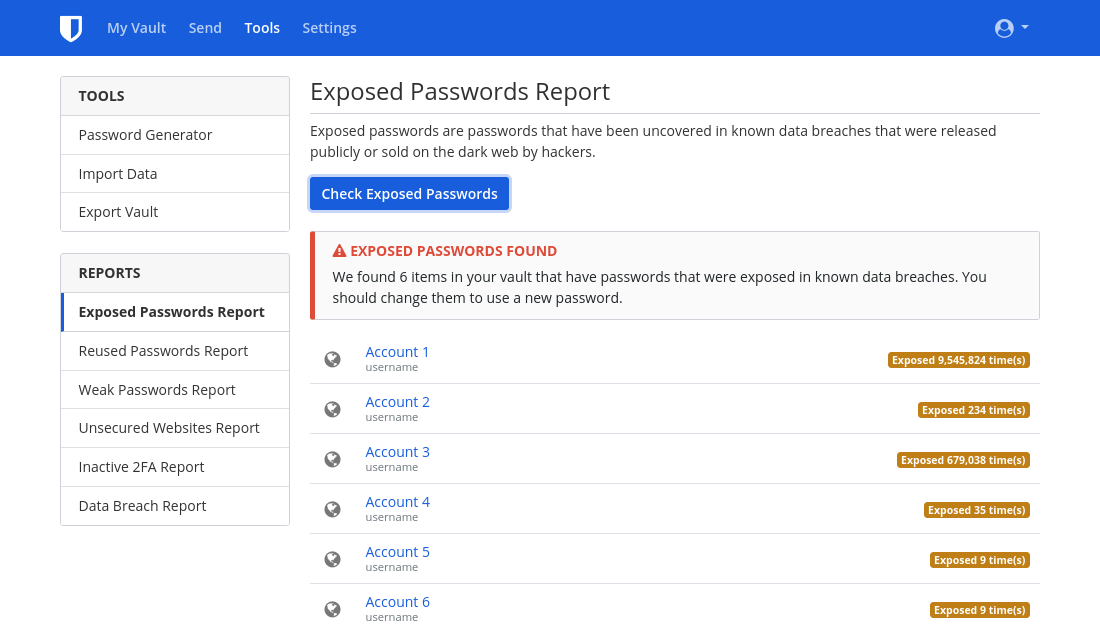
Even if you haven't explicitly used a password manager before, there's a chance you've used the one in your browser (Firefox, Chrome, Edge) or your phone (Google on stock Android, Passwords on iOS) without even realizing it.
Desktop platforms also often have a password manager which may help you recover passwords you've forgotten about:
- Windows: Credential Manager
- macOS: Passwords
- Linux: Gnome Keyring (accessed through Seahorse) or KDE Wallet Manager
If you didn't use a password manager in the past, or you think you have accounts that were never added to your password manager, another option is to search the email account(s) that you believe you signed up on. On your email client, search for keywords such as "verify" or "welcome." Almost every time you make an online account, the service will send a verification link or an introductory message to your email. This can be a good way to find old, forgotten accounts.
¶ Deleting Old Accounts
¶ Log In
In order to delete your old accounts, you'll need to first make sure you can log in to them. Again, if the account was in your password manager, this step is easy. If not, you can try to guess your password. Failing that, there are typically options to regain access to your account, commonly available through a "forgot password" link on the login page. It may also be possible that accounts you've abandoned have already been deleted—sometimes services prune all old accounts.
When attempting to regain access, if the site returns an error message saying that email is not associated with an account, or you never receive a reset link after multiple attempts, then you do not have an account under that email address and should try a different one. If you can't figure out which email address you used, or you no longer have access to that email, you can try contacting the service's customer support. Unfortunately, there is no guarantee that you will be able to reclaim access your account.
¶ GDPR (EEA residents only)
Residents of the EEA have additional rights regarding data erasure specified in Article 17 of the GDPR. If it's applicable to you, read the privacy policy for any given service to find information on how to exercise your right to erasure. Reading the privacy policy can prove important, as some services have a "Delete Account" option that only disables your account and for real deletion you have to take additional action. Sometimes actual deletion may involve filling out surveys, emailing the data protection officer of the service or even proving your residence in the EEA. If you plan to go this way, do not overwrite account information—your identity as an EEA resident may be required. Note that the location of the service does not matter; GDPR applies to anyone serving European users. If the service does not respect your right to erasure, you can contact your national Data Protection Authority and may be entitled to monetary compensation.
¶ Overwriting Account information
In some situations where you plan to abandon an account, it may make sense to overwrite the account information with fake data. Once you've made sure you can log in, change all the information in your account to falsified information. The reason for this is that many sites will retain information you previously had even after account deletion. The hope is that they will overwrite the previous information with the newest data you entered. However, there is no guarantee that there won't be backups with the prior information.
For the account email, either create a new alternate email account via your provider of choice or create an alias using an email aliasing service. You can then delete your alternate email address once you are done. We recommend against using temporary email providers, as oftentimes it is possible to reactivate temporary emails.
¶ Delete
You can check JustDeleteMe for instructions on deleting the account for a specific service. Some sites will graciously have a "Delete Account" option, while others will go as far as to force you to speak with a support agent. The deletion process can vary from site to site, with account deletion being impossible on some.
For services that don't allow account deletion, the best thing to do is falsify all your information as previously mentioned and strengthen account security. To do so, enable MFA and any extra security features offered. As well, change the password to a randomly-generated one that is the maximum allowed size (a password manager can be useful for this).
If you're satisfied that all information you care about is removed, you can safely forget about this account. If not, it might be a good idea to keep the credentials stored with your other passwords and occasionally re-login to reset the password.
Even when you are able to delete an account, there is no guarantee that all your information will be removed. In fact, some companies are required by law to keep certain information, particularly when related to financial transactions. It's mostly out of your control what happens to your data when it comes to websites and cloud services.
¶ Avoid New Accounts
As the old saying goes, "an ounce of prevention is worth a pound of cure." Whenever you feel tempted to sign up for a new account, ask yourself, "Do I really need this? Can I accomplish what I need to without an account?" It can often be much harder to delete an account than to create one. And even after deleting or changing the info on your account, there might be a cached version from a third-party—like the Internet Archive. Avoid the temptation when you're able to—your future self will thank you!